

- cross-posted to:
- hackernews@lemmy.bestiver.se
- cross-posted to:
- hackernews@lemmy.bestiver.se
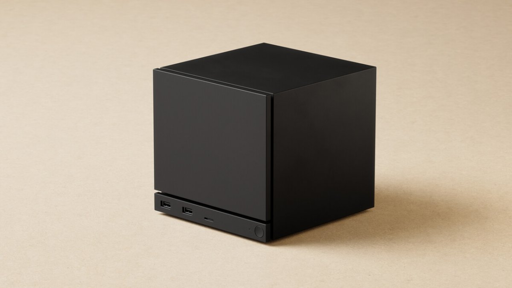
The HDMI Forum, responsible for the HDMI specification, continues to stonewall open source. Valve’s Steam Machine theoretically supports HDMI 2.1, but the mini-PC is software-limited to HDMI 2.0. As a result, more than 60 frames per second at 4K resolution are only possible with limitations.
Two considerations: Displayport doesn’t support audio, and there is no connector on the planet more frustrating and unreliable than DisplayPort. It’s like a joke how sensitive it is to the lightest bump. HDMI just works.
DisplayPort absolutely does support audio
https://www.anker.com/blogs/hubs-and-docks/do-display-ports-support-audio
You seem knowledgeable, Mr. Vandelay. Perhaps you deal with imports and exports… if so on the topic of audio on DisplayPort, are you aware of any Receivers that will split the signal to send audio to speakers and video to your projector or monitor (TV but there are few)?
Serious question about the receiver if you do know of any - it’s come up in the last week while seeing the Valve HDMI news on Lemmy. I found some projectors that have DP, but no receivers and hoping someone here can!
should be able to with hdmi arc, not sure 100% tho but it seems like you could tell the projector where to send the audio, i know you can with tvs and hdmi arc. worst case scenario you do dp in to the projector and hope valve has stereo or optical out to go into reciever
Yes, I have recognised, that if a speaker is connected on the HDMI-ARC port, it will play audio from other input sources to TV still on those speakers. But in my setup, other input sources are HDMI as well…
I know that there are some complicated configurations that you could use to get the audio feed from display port to your receiver, like running it through a splitter that will strip out the audio and send it to your receiver separately. I’m pretty sure there are no mainstream AV receivers that will do what you want because the market is split between home theatre and PC, as mentioned elsewhere in this thread, and manufacturers need to be convinced there’s a market for it.
In that situation, I would connect the output device, in this case a PC, directly to the TV/monitor with DP, and run optical audio from either the TV or the output device to receiver.
You lose some of the integrated control that HDMI-CEC gives you, so get a good universal remote that can adapt to this set up and get one-button source switching back.
I’ve considered this - I would like multiple sources on my receiver though, so this as you say requires at least a universal or 2 remotes to swap back to the reciever. My projector (current one) only has 2 HDMI Ports. Perhaps in the future this can be my setup.
I run a USB DAC off my pc, then have RCA cables going to my speakers. Usually the DAC built in to a PC or TV is terrible compared to a dedicated one
Didn’t know the HDMI cartel could afford bots / useful idiots
They must have found one in the bargain bin.
it’s gold plated
I’m not sure where you’re getting your information, but displayport absolutely supports audio. In most of the same formats that HDMI does as well.
Also, I’ve only ever had issues with HDMI plugs. All the displayport plugs I’ve used had positive locks on them and have been the most reliable plugs I’ve ever had to use aside from BNC connections.
You could perhaps have instead gone with “you don’t find displayport on cheap consumer displays,” because that’s an accurate statement. That’s a huge part of why this is a big deal.
My cat literally loves hiding behind my display port connected monitor, bumps into it all the time, it has never disconnected or stopped working. Your cable might suck.
Where did you hear that? I use DP to connect to my monitor and I can play sound through it.
Ground your shit. Or your cable’s bad
I have an HDMI cable somewhere that stops working temporarily when there are changes in temperature, air pressure or planetary alignment.
This is not an HDMI vs DisplayPort issue.